
Airflow
The ultimate way to watch
your videos
on Chromecast, Apple TV and AirPlay 2 enabled TVs.


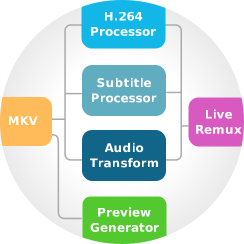
Airflow is different We're not cutting any corners. This is not yet another FFmpeg wrapper like you might have seen elsewhere. Don't get us wrong, we love FFmpeg and use many of its parts under the hood, but our custom built video processing pipeline goes way beyond wrapping FFmpeg and calling it a day. We've been working on it for years it and it lets us do things that other similar software simply can't.
It's a bold claim for sure, so here are just a few examples:
Airflow is a razor sharp focused software. It supports specific set of devices and it will pull every trick in the book to get the best possible results on these devices. It may not stream video to your smart fridge, but it will gladly push your Chromecast, Apple TV and AirPlay 2 TVs to their limits.
And yes, Airflow can handle pretty much any video format and codec you throw at it.
Airflow can stream full 4K HDR HEVC files to Chromecast Ultra, Built-in, Apple TV 4K and AirPlay 2 enabled TVs. It will go out of its way not to touch the original video stream unless absolutely needed for compatibility reasons, ensuring best possible video quality with lowest CPU load (your computer fans will thank you). As far as we can tell, Airflow is still the only desktop software that can natively stream HEVC videos to Apple TV and AirPlay 2 TVs.
And for those pesky videos that are incompatible with your device - Airflow will handle that tranparently, with hardware accelerated transcoding if your computer supports it.
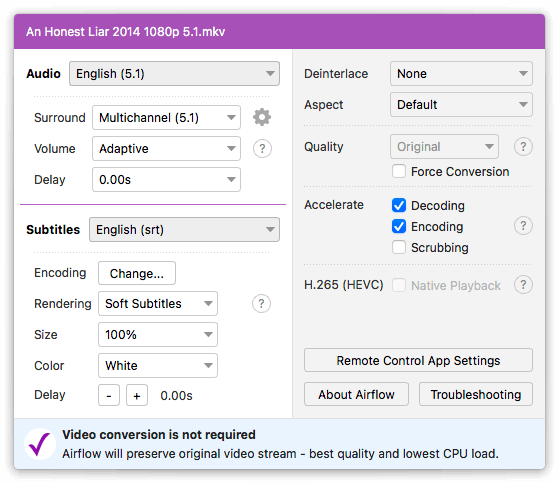
Full multichannel support including DD+ passthrough with Dolby Atmos? Of course.
Advanced adaptive volume booster + limiter for late night watching when you don't want to disturb your neighbours with loud scenes but still want to hear the dialogue clearly? Check.
Spatial headphone downmix for surround sound videos? Also check.
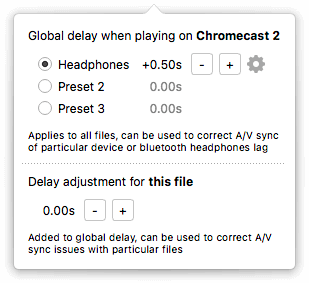
Detailed A/V sync adjustment where you can compensate for the delay of individual devices like bluetooth headphones? Airflow has it.
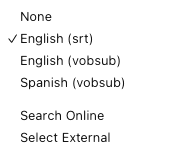
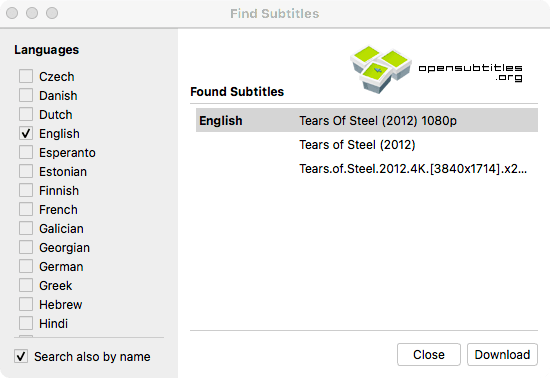
For both embedded and external subtitles. It's a bit of a secret that pretty much every other streaming software needs to extract embedded subtitle tracks before playing the video. That involves reading the entire file upfront! Crazy, right? Airflow needs no such crude tricks. Embedded or external, for our playback pipeline it's all the same. All widely used subtitle formats are supported, now including vobsub. Integrated opensubtitles.org search is a cherry on top.
Some subtitles (DVD, Vobsub, Bluray) are stored as pictures. This means that the only way to render them when streaming is to burn them in the video. That's inconvenient to say the least. It massively increases CPU load (think fan noise and heat) and it's completely infeasible to do for 4K videos.
Enter our new realtime subtitle text recognition (OCR). During playback Airflow will transparently extract the text from picture subtitles and render it on target device just like it would with regular text subtitles.


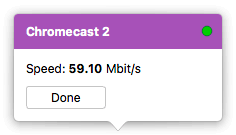
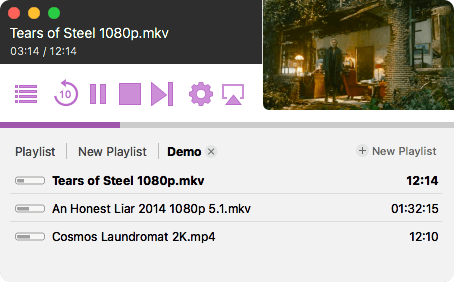
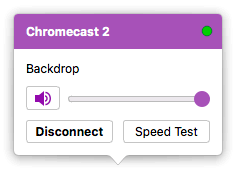
The "small" things, like the scrubbing preview, beautiful polished user interface, multiple playlists support, meticulous last position tracking, or the integrated Speed Test for Chromecast, which is invaluable when dealing with network connection issues. The list goes on.
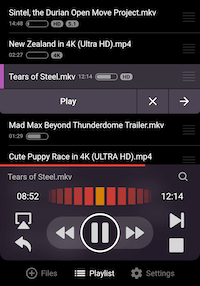
Did we mention the remote control companion app for Android and iPhone? No? Well, it's pretty cool. It lets you control all Airflow features from the comfort of your couch. And it's completely free!


Nope. One time payment only. Airflow license does not expire.
You only need one license. You can activate Airflow on all computers that you own using single license.
No worries. You can always retreive your license here.
Please see our troubleshooting page.

